


Both REST and GraphQL let clients talk to servers over HTTP. Both return data (usually JSON). Both are widely used in production. So what’s the difference between them?
It comes down to one core trade-off: REST prioritizes simplicity and standardization. GraphQL prioritizes flexibility and efficiency.
REST: One Endpoint Per Resource
REST (Representational State Transfer) organizes your API around resources. Each resource gets its own URL, and you use HTTP methods to interact with it.
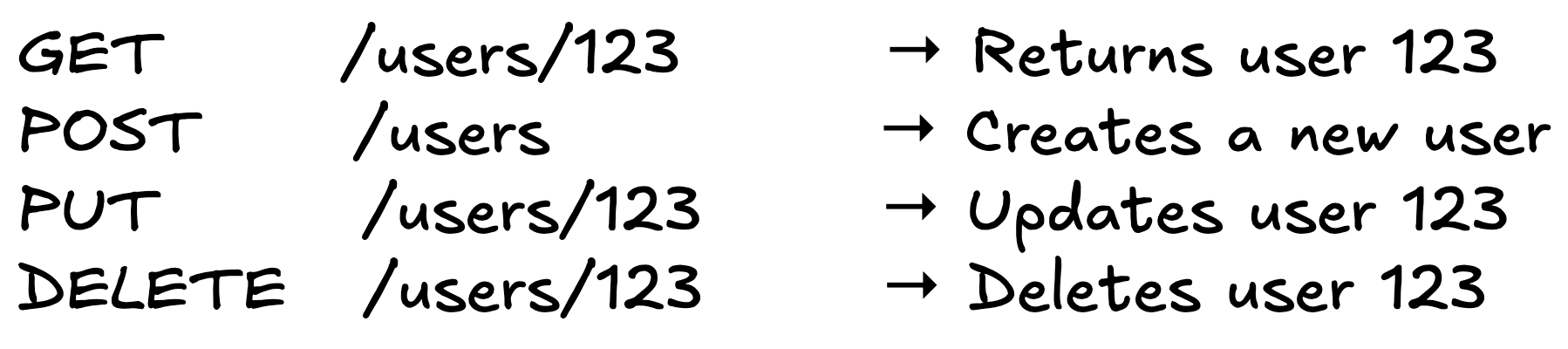
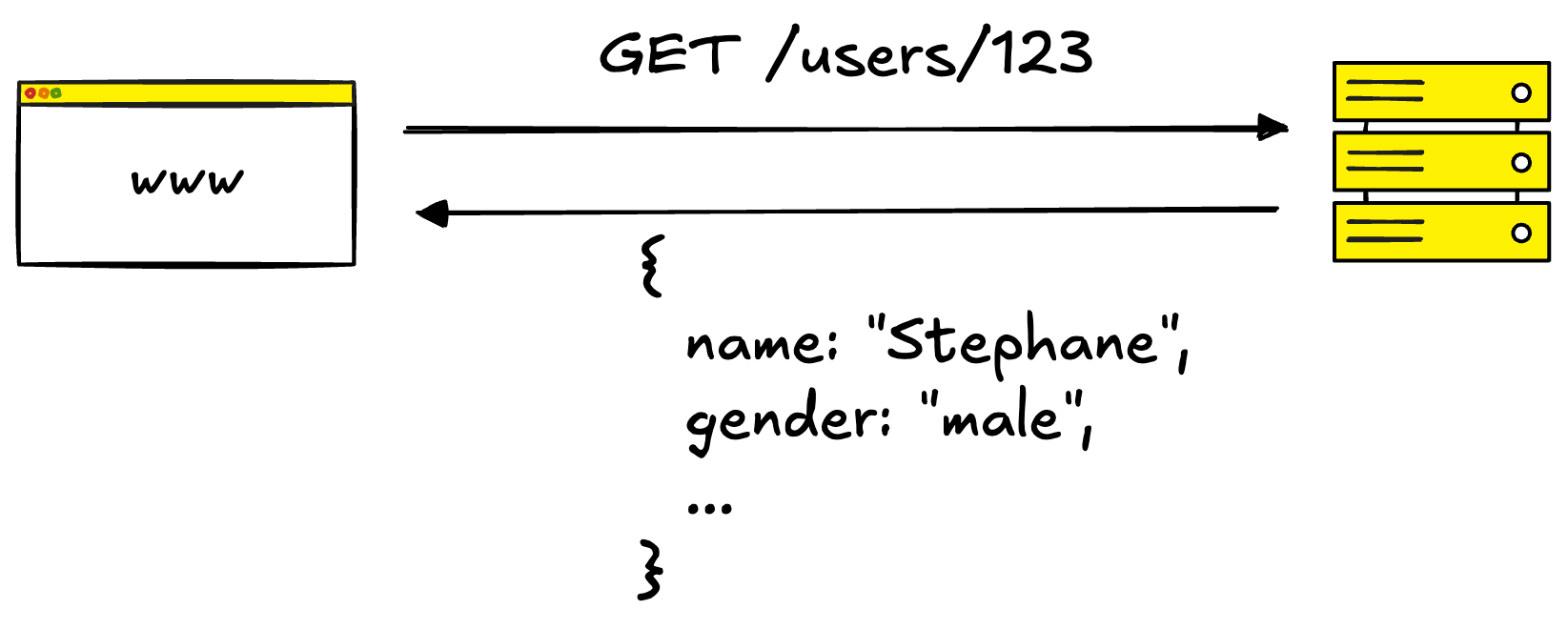
The server decides what data each endpoint returns. If you call GET /users/123, you get whatever fields the backend team decided to include: name, email, address, preferences, etc.
The Problem: Over-fetching and Under-fetching
Over-fetching: You only need the user’s name, but the endpoint returns 50 fields. You’re transferring data you’ll never use.
Under-fetching: You need the user AND their orders. That’s two separate API calls: GET /users/123 then GET /users/123/orders. More round-trips, higher latency.
GraphQL: One Endpoint, Client-Specified Data
GraphQL flips the model. Instead of multiple endpoints, you have a single endpoint (typically /graphql). The client sends a query specifying exactly what data it needs.
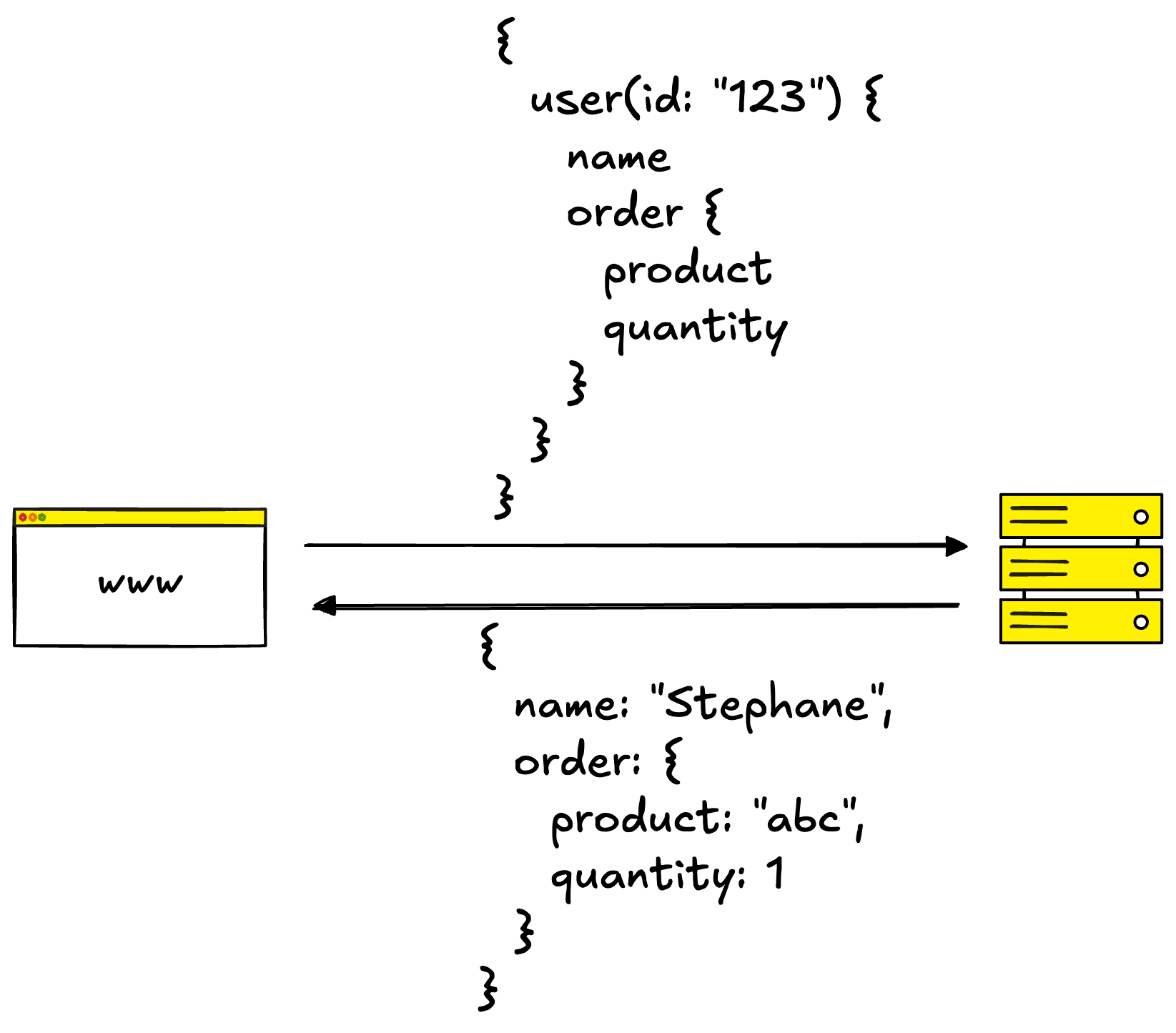
One request. You get exactly name and orders, nothing more.
The Trade-off: Complexity Moves to the Server
GraphQL requires a strongly-typed schema that defines every type and field. The server must resolve arbitrary queries, which can introduce performance challenges.
Caching also becomes harder. REST’s GET /users/123 is easily cached at the HTTP level. GraphQL POST requests with dynamic queries aren’t.
Key Differences
Structure: REST uses multiple endpoints (one per resource). GraphQL uses a single endpoint for everything.
Data fetching: In REST, the server decides what’s returned. In GraphQL, the client specifies exact fields.
Schema: REST schemas are optional (OpenAPI). GraphQL schemas are mandatory and strongly typed.
Versioning: REST typically uses URL versioning (/v1, /v2). GraphQL uses schema evolution - you add or deprecate fields without breaking clients.
Caching: REST has built-in HTTP caching. GraphQL requires custom caching strategies.
Error handling: REST uses HTTP status codes (404, 500). GraphQL always returns 200; errors appear in the response body.
Learning curve: REST is lower (uses familiar HTTP patterns). GraphQL is higher (new query syntax to learn).
When to Use REST
Your API maps cleanly to resources. Users, orders, products - if your domain is CRUD-shaped, REST fits naturally.
Caching matters. REST’s HTTP caching works out of the box. CDNs, browser caches, and reverse proxies all understand it.
You’re building a public API. REST is widely understood. External developers can integrate faster without learning GraphQL.
Your data model is stable. If endpoints rarely change, REST’s simplicity wins over GraphQL’s flexibility.
When to Use GraphQL
You have multiple clients with different data needs. A mobile app needs minimal data; a web dashboard needs everything. GraphQL lets each client request exactly what it needs.
You’re aggregating data from multiple sources. GraphQL can sit in front of multiple services and present a unified API.
Your frontend team iterates faster than backend. Frontend devs can add fields to their queries without waiting for backend changes.
Network efficiency matters. On slow mobile connections, fewer round-trips and smaller payloads make a real difference.
The Hybrid Approach
Many companies use both. A common pattern: REST for public APIs (wide compatibility, easy caching) and GraphQL internally (flexibility for frontend teams, data aggregation).
GraphQL can even sit on top of existing REST APIs as an aggregation layer, translating multiple endpoints into a single schema. You don’t have to choose one forever.
Like posts like this?
You may also like these:


By subscribing, you get a breakdown like this every week.
Free subscribers also get a little bonus:
🎁 The System Design Interview Preparation Cheat Sheet
If you’re into visuals, paid subscribers unlock:
→ My Excalidraw system design template – so you have somewhere to start
→ My Excalidraw component library – used in the diagram of this issue
No pressure though. Your support helps me keep writing, and I appreciate it more than you know ❤️
Great breakdown of the core trade off. The oversimplification most people miss is treating this as purely technical when it's really about organizational alignment. I've seen teams pick GraphQL for flexibility but then realize they dont have the backend capacity to handle arbitrary queries without performance tanking. The hybrid approach you mention at the end is underrated - we ended up using REST for stable public endpoints and GraphQL for our internal dashboard that needed constant iteration. Saved months of coordniation hell between frontend and backend teams.